A baby stats dashboard for parents who love data
Some parents want a quick log. Others want the full board report. The Baby Track web dashboard is for the second group: it takes the entries you already make in the mobile app and lays them out as KPIs, trend charts and pattern analysis on a large screen.
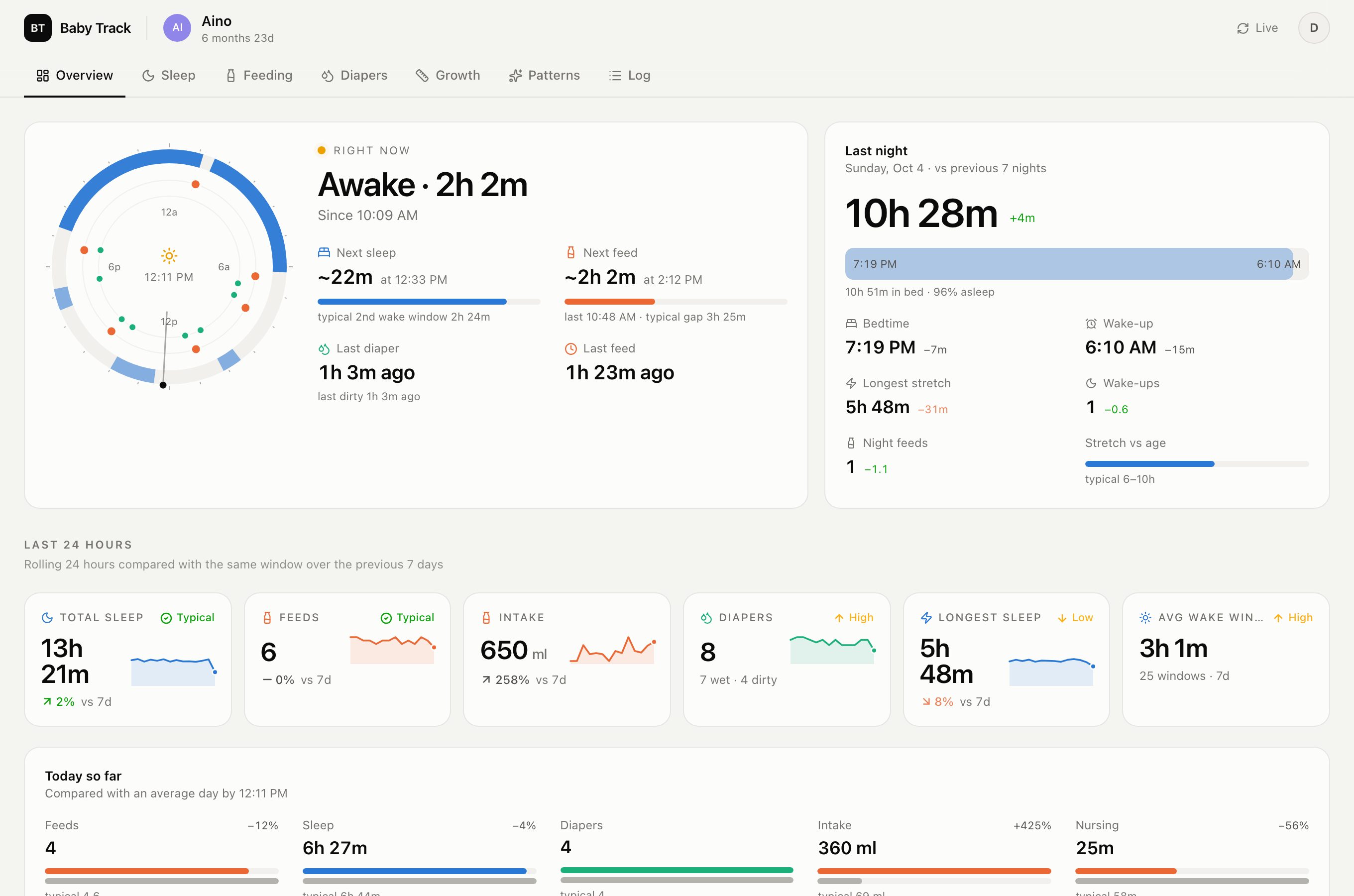
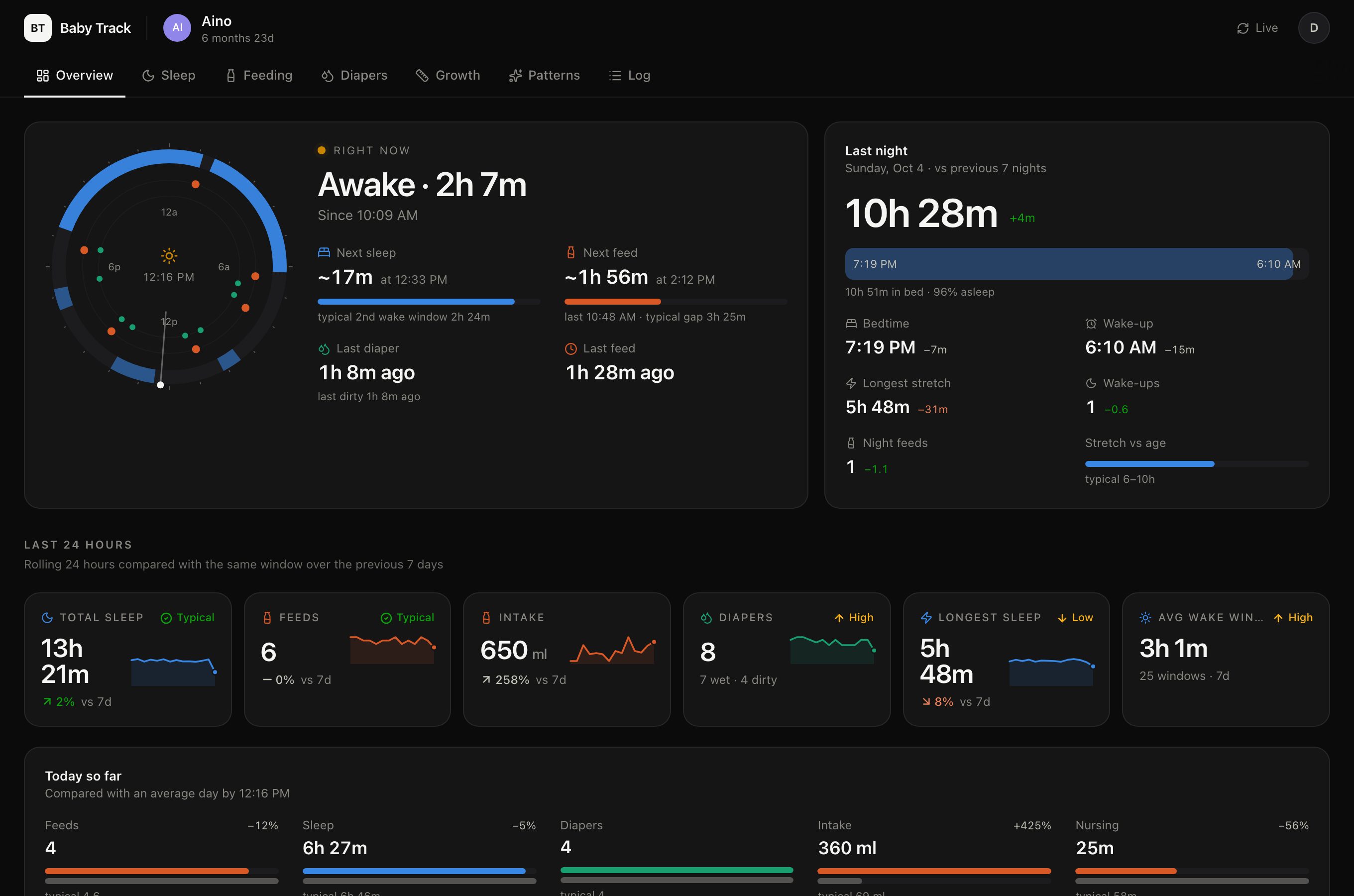
An overview built like an executive dashboard
The first screen answers “where are we right now?”: awake or asleep and for how long, time since the last feed and diaper, an estimate of the next sleep and feed based on your own recent history, and last night’s bedtime, wake-up, longest stretch and wake-ups compared with the previous seven nights. Below that, rolling 24-hour tiles compare sleep, feeds, intake, diapers and the longest sleep with the same window over the past week.
Seven tabs, one for each part of the day
Overview, Sleep, Feeding, Diapers, Growth, Patterns and a searchable Log. Sleep shows night windows from bedtime to wake-up, the longest stretch per night, wake windows by position in the day and the share of days asleep at each time. Feeding splits day and night feed gaps, breast milk and formula volumes and left/right nursing time. Diapers separates wet and dirty changes and the time between dirty diapers. A date range from 7 days to all time applies across the tabs.
Benchmarks, insights and records
A health-check panel places your 7-day averages next to broad age-typical reference ranges for sleep, naps, wake windows, feeds and diapers. Automatic insights point out changes such as a bedtime that moved, feeds spacing out or a nursing side used more often. The Patterns tab adds weekday × hour heatmaps, a month-by-month table, all-time records and a “team split” showing which household member logged what.
Growth on WHO reference curves
Weight, length and head circumference are plotted on WHO child growth standard curves with approximate percentiles, together with weight gain between measurements. WHO describes its standards as references for assessing growth; a percentile from a home measurement is an approximation, not an assessment. [1] [2]
What the dashboard does not do
- Age-typical ranges are broad references, not targets your baby should meet, and the dashboard does not diagnose anything.
- Estimates such as “next sleep” or “next feed” come from your own logged history. They are not schedules or recommendations.
- Correlations and insights describe what was logged. Missing entries lower totals, and a pattern is not proof of a cause.
Questions about Baby Track
What do I need to use the web dashboard?
A Baby Track cloud account on a household with Premium cloud sync. The dashboard reads the records synced from the mobile app; you can also open a demo with sample data without signing in.
Can I export my data?
Yes. The Log tab can download the events in the selected range as a CSV file.
Does it work for more than one baby?
Yes. Switch between baby profiles from the header; each profile keeps its own history and charts.
Try it on your phone
Local tracking is free and needs no account. Current store offers are shown in the app store.